
This is a step by step guide on how to book Chef Hector’s hibachi catering service.
Step 1 – Go to our reservations page.
Step 2 – Scroll down until you see our booking program, it should look like the image below (depending on your device it could look slightly different).
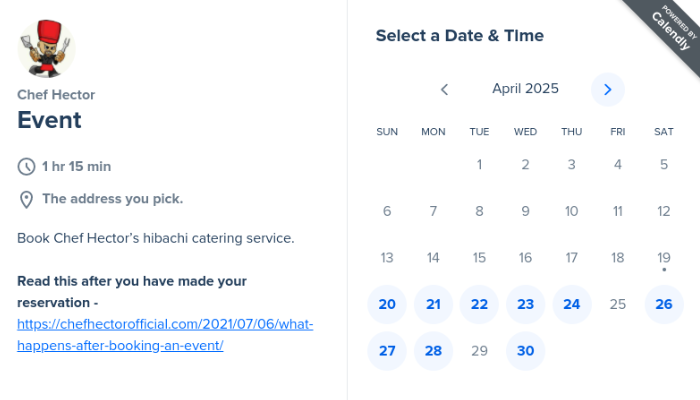
Step 3 – If you see a date that interests you, click on it and available time slots should pop up. Confirm a time to move on to the next step.
Note: In the calendar, dates that are colored gray are fully booked, the blue colored dates are still available to reserve.
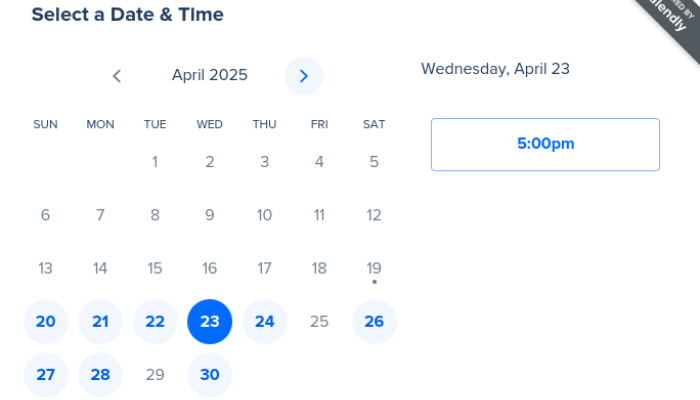
Step 4 – Once you confirm a time, you will move on to the event details portion. Proceed to fill out the required information.
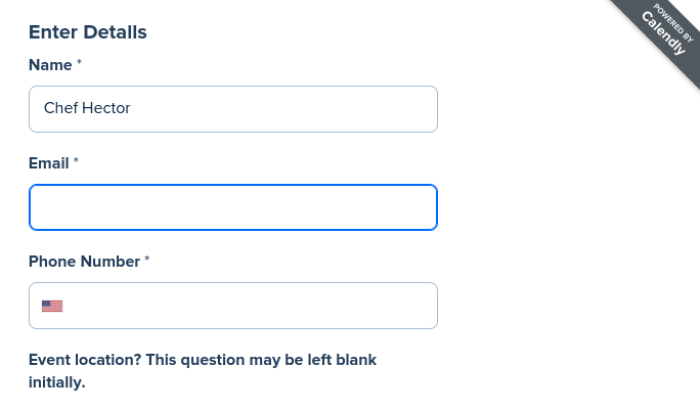
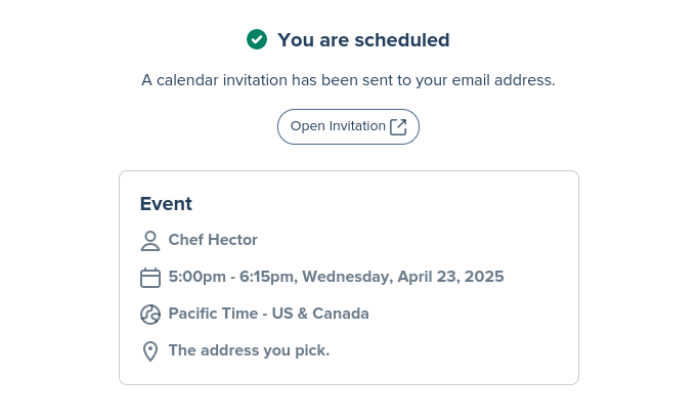
Step 5 – After you’ve completed providing all the necessary information, click on the “schedule event” button to finish, an event confirmation notice will pop up, this means you’ve successfully booked the date.
 Chef Hector
0 comments on “How To Book An Event”